Data Transformation.Rethought
// This was a design exploration. No team, no production constraints, no shipping deadline. What follows is how I think through a problem when the only constraint is the problem itself.
Aboutthe project
Context
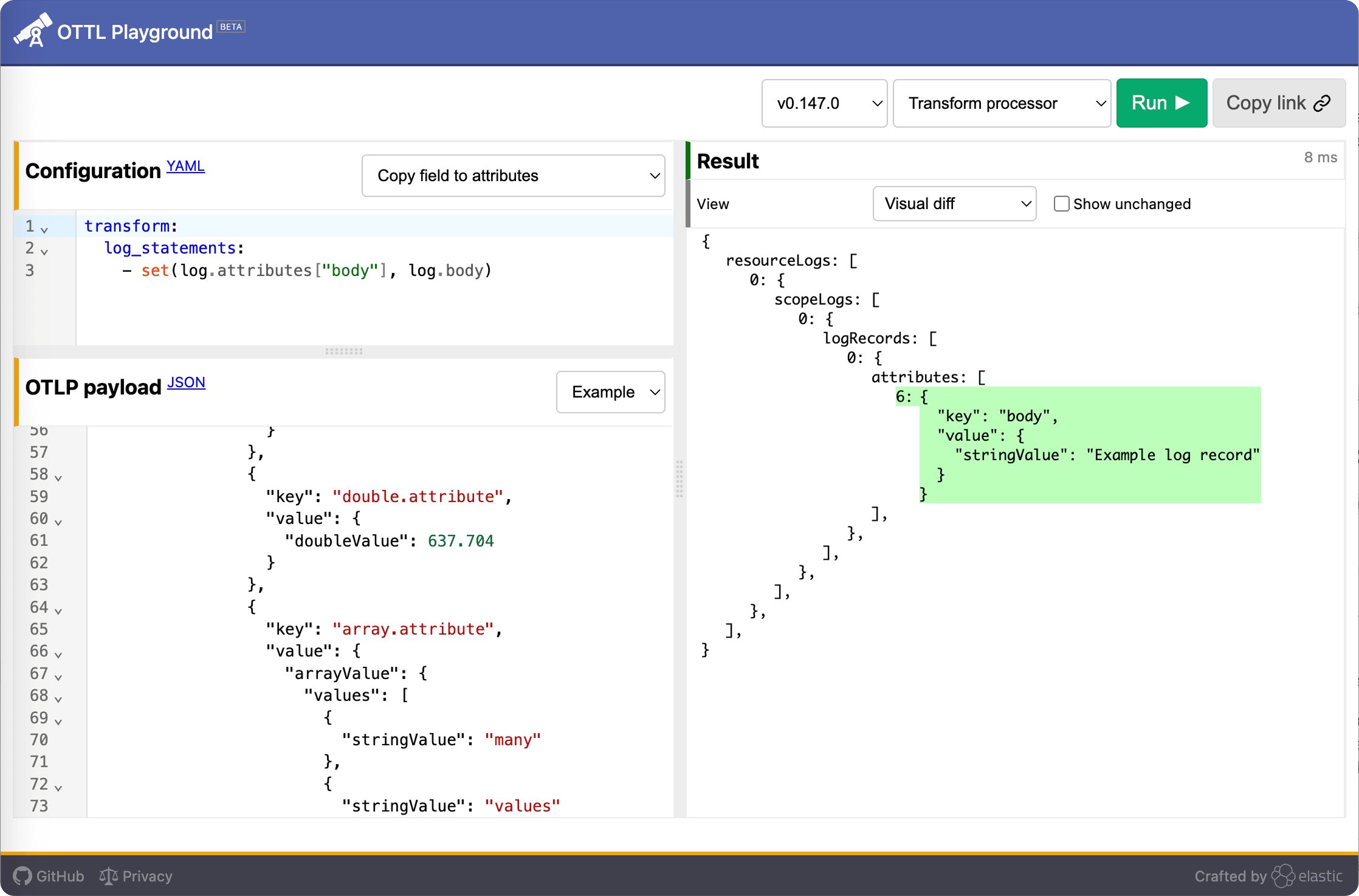
OTTL — the OpenTelemetry Transformation Language — is how telemetry data gets shaped before it hits storage and gets useful.
The lack of usability of OTTL is bad for the ecosystem, because OTTL is the right, standard solution for an important set of problems: how to make telemetry look and cost right.
Challenge
Devise an intuitive, tactile User Experience to transform telemetry.
What I did
- Received a brief. Questioned it. Reframed around what expert users actually need.
- Prototyped in code, twice. No research panel, I stress-tested my own assumptions. Then used expert feedback to push further into the visual UI.
DesignBets
The reframe
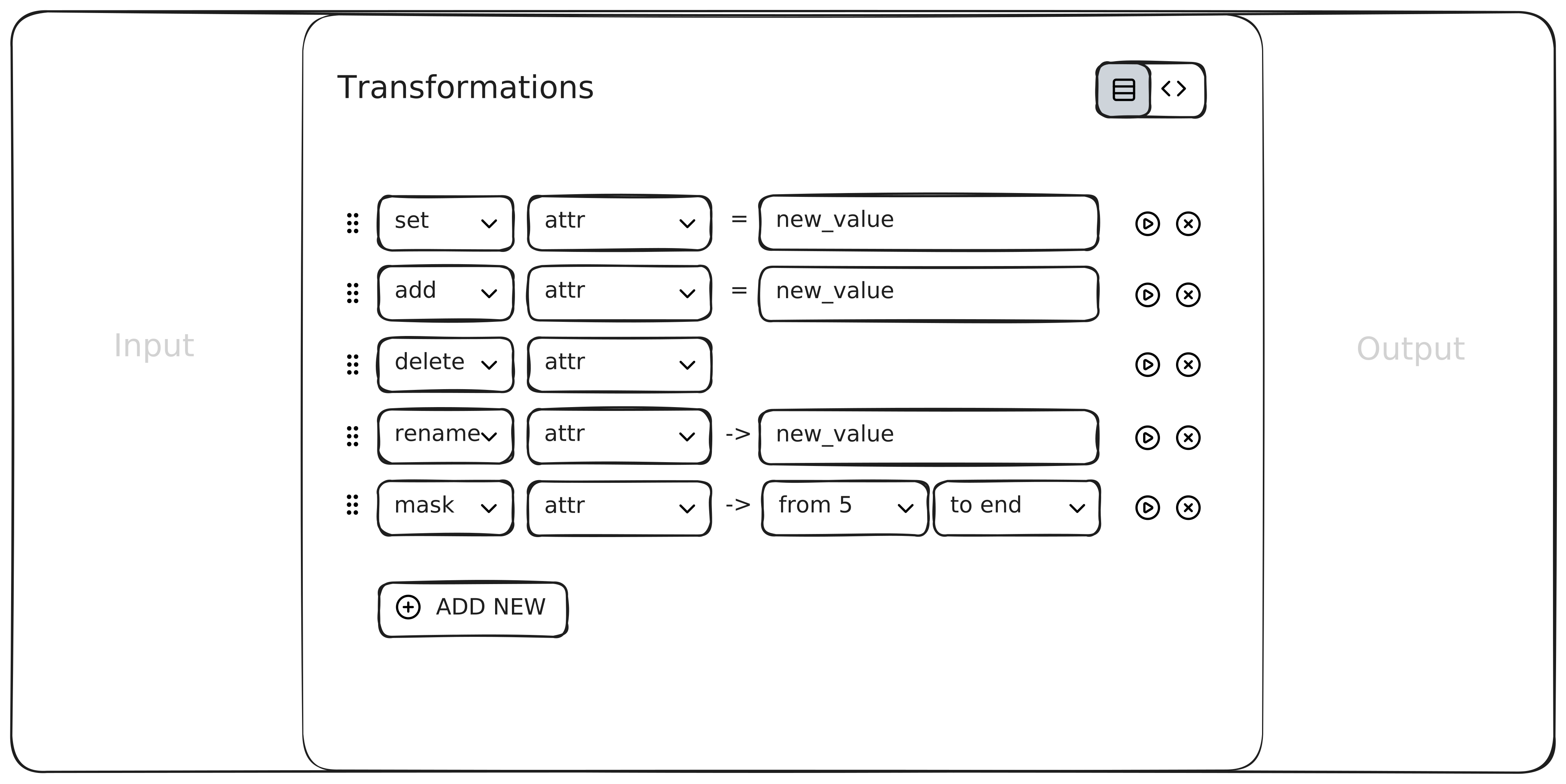
The obvious design question: How do I make OTTL easier?
It leads to a form-based UI: dropdowns, hidden code, abstracted syntax. Fine for users who don't know what they're doing. These users do. So I asked a different question:
What does someone who already knows what to do need from a UI?
A shorter path to say it.
I translated that into several design bets.
1. Telemetry preview
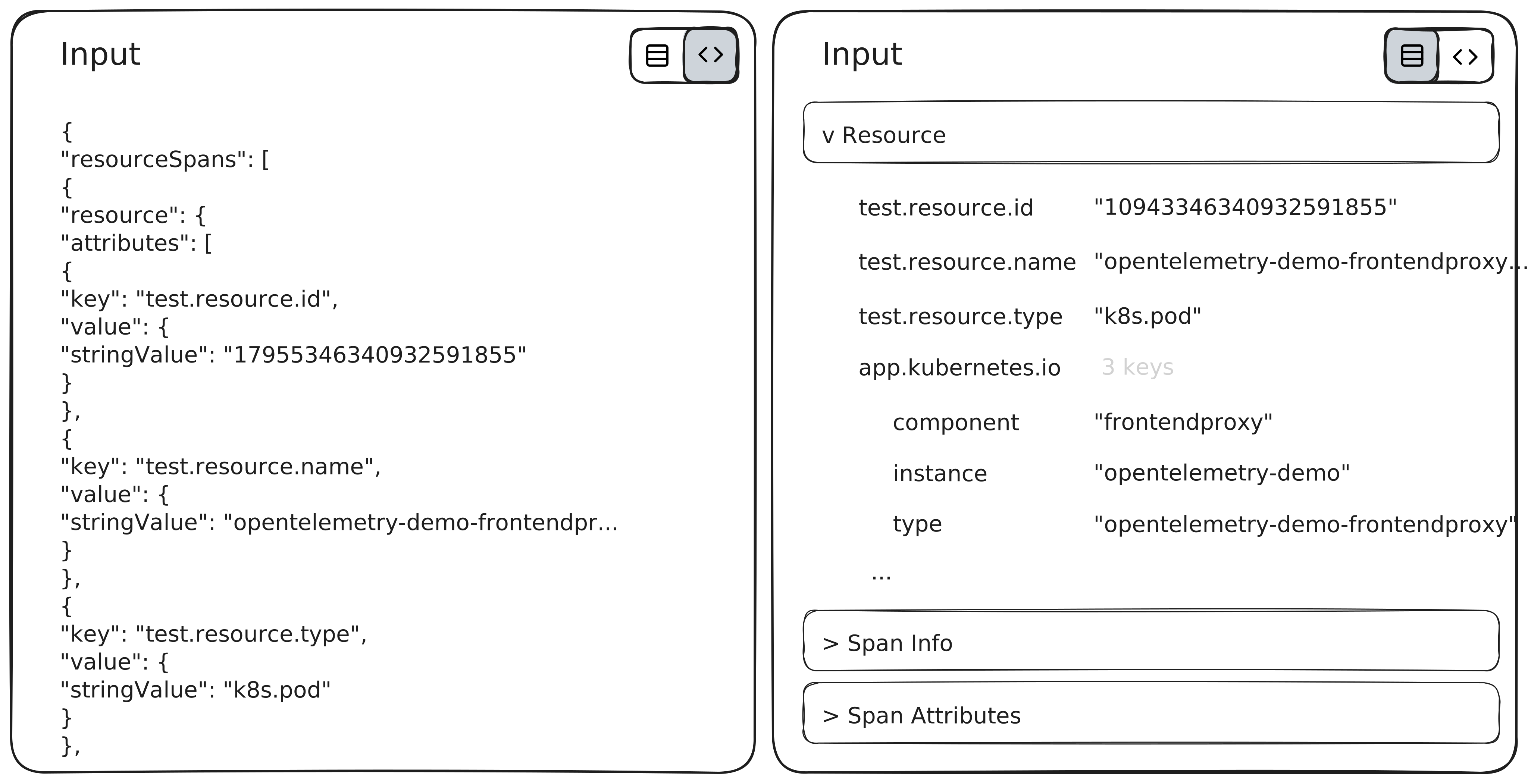
The default data format is JSON. Developers don't read JSON, they scan it. Looking for a specific attribute, spotting a pattern, checking whether a value landed where it should.
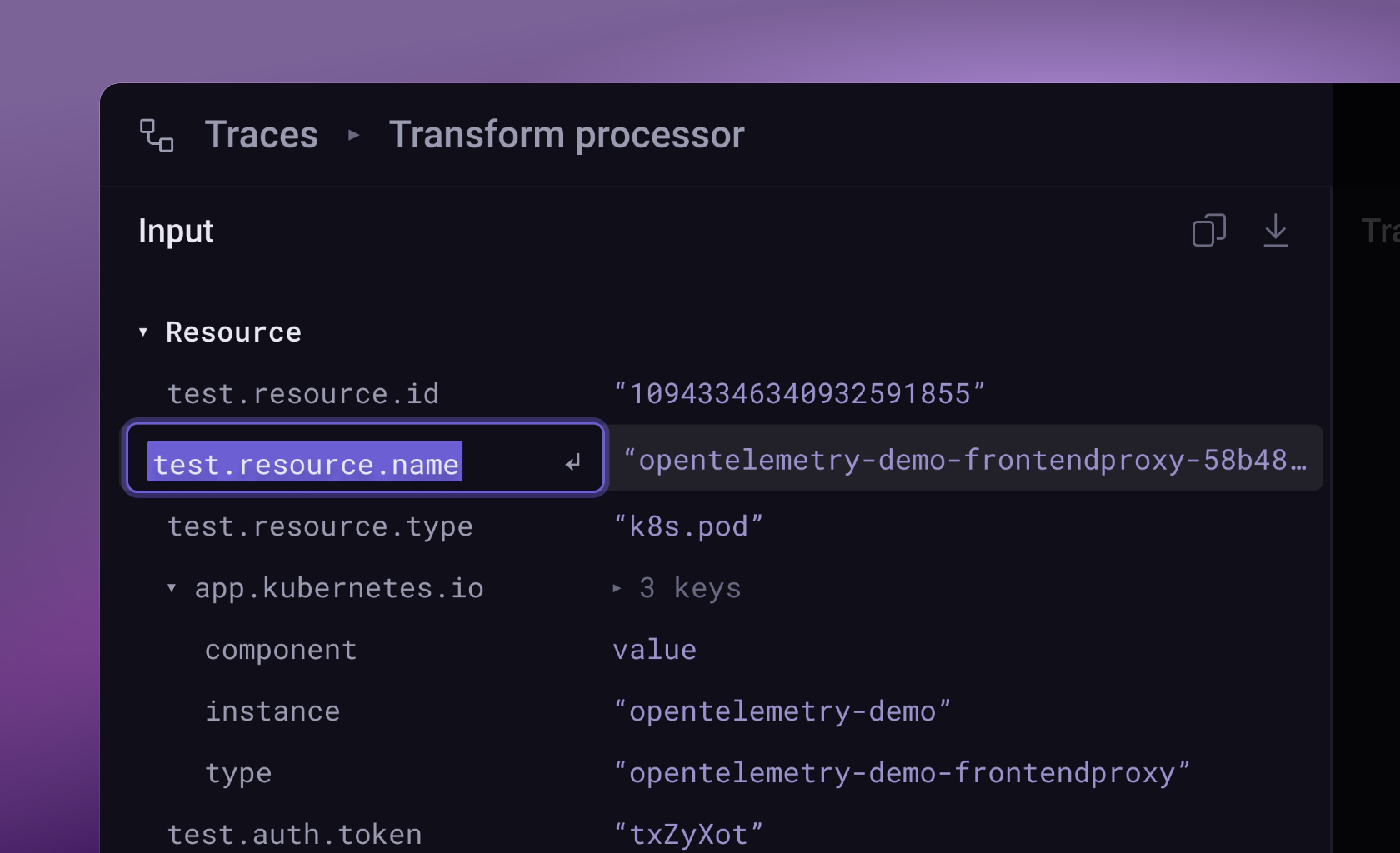
I grouped and rearranged input data into a table view. Most important data first. Attribute keys on the left, values on the right. The structure matches how engineers actually parse this data: find the attribute, check the value, move on.
2. Verbs over syntax
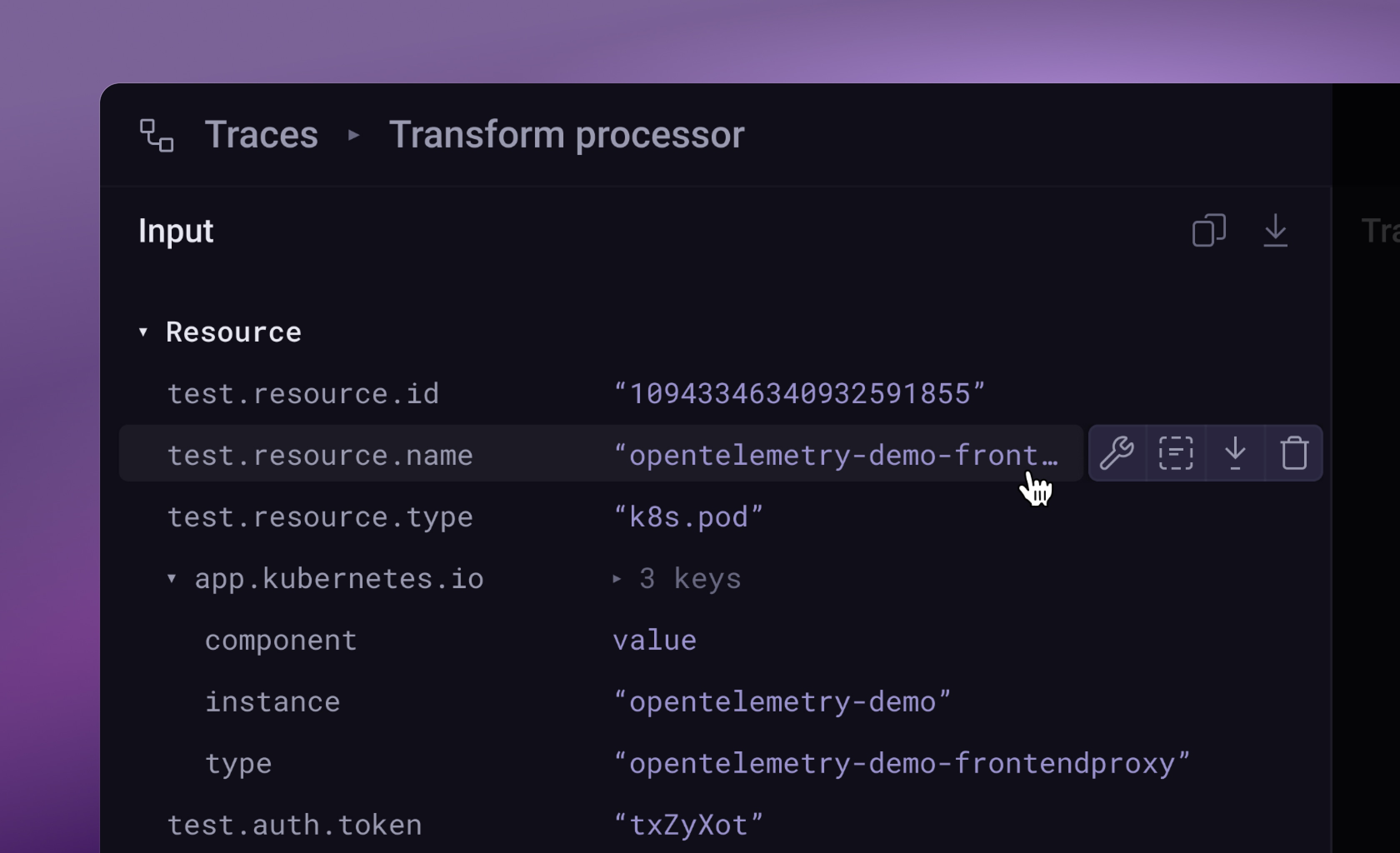
Instead of writing OTTL statements, users pick from quick actions directly on the attribute. Click a field, see what you can do to it. No syntax to recall.
The tool translates each action into the correct OTTL behind the scenes. Users operate on their data, not on code.
Raw OTTL is still one step away for anything the quick actions don't cover. No one gets trapped inside the abstraction.
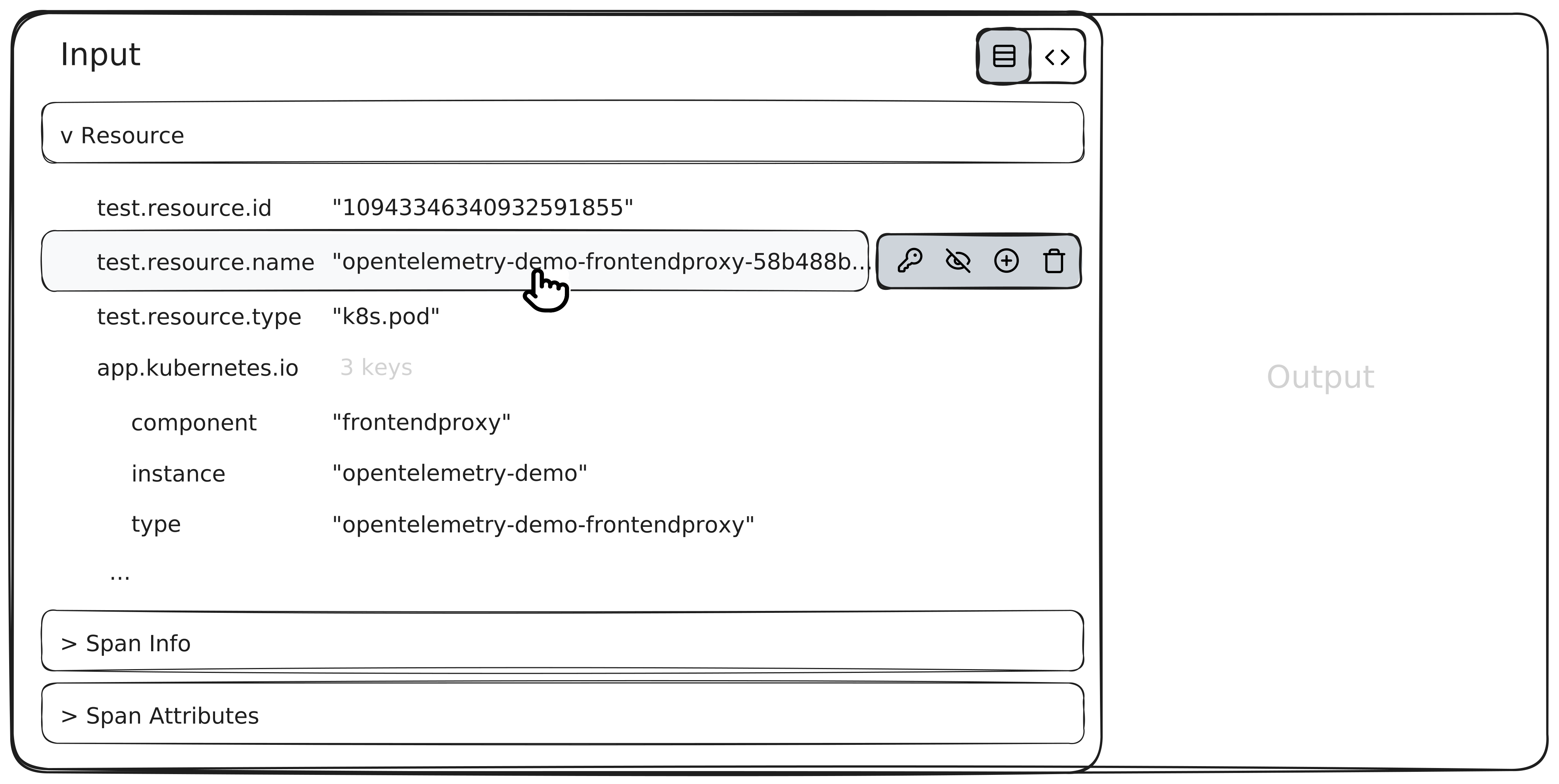
3. Inline and keyboard
Most transformation tools put the action in a separate panel. That split forces constant context-switching between the data and the operation.
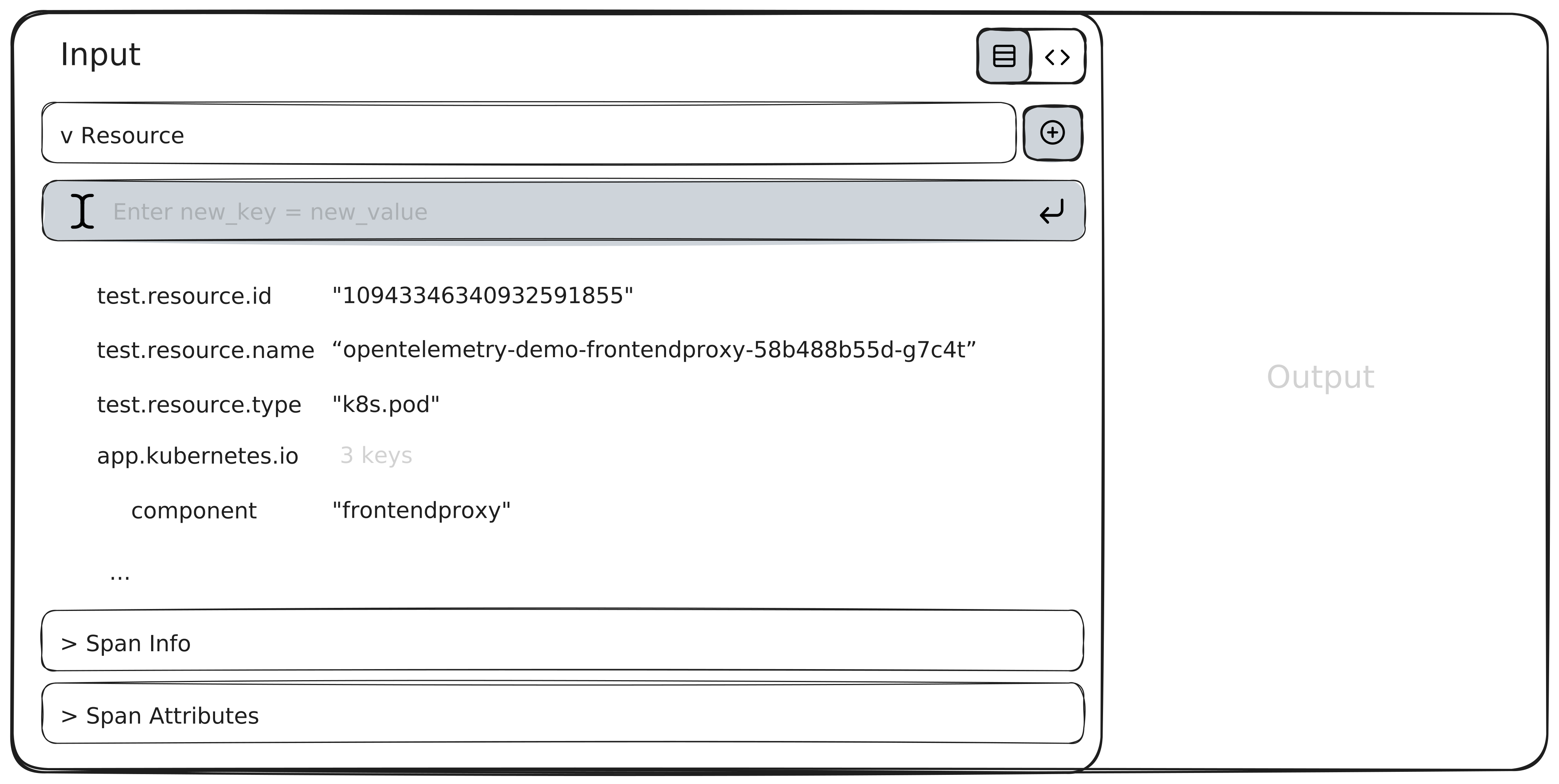
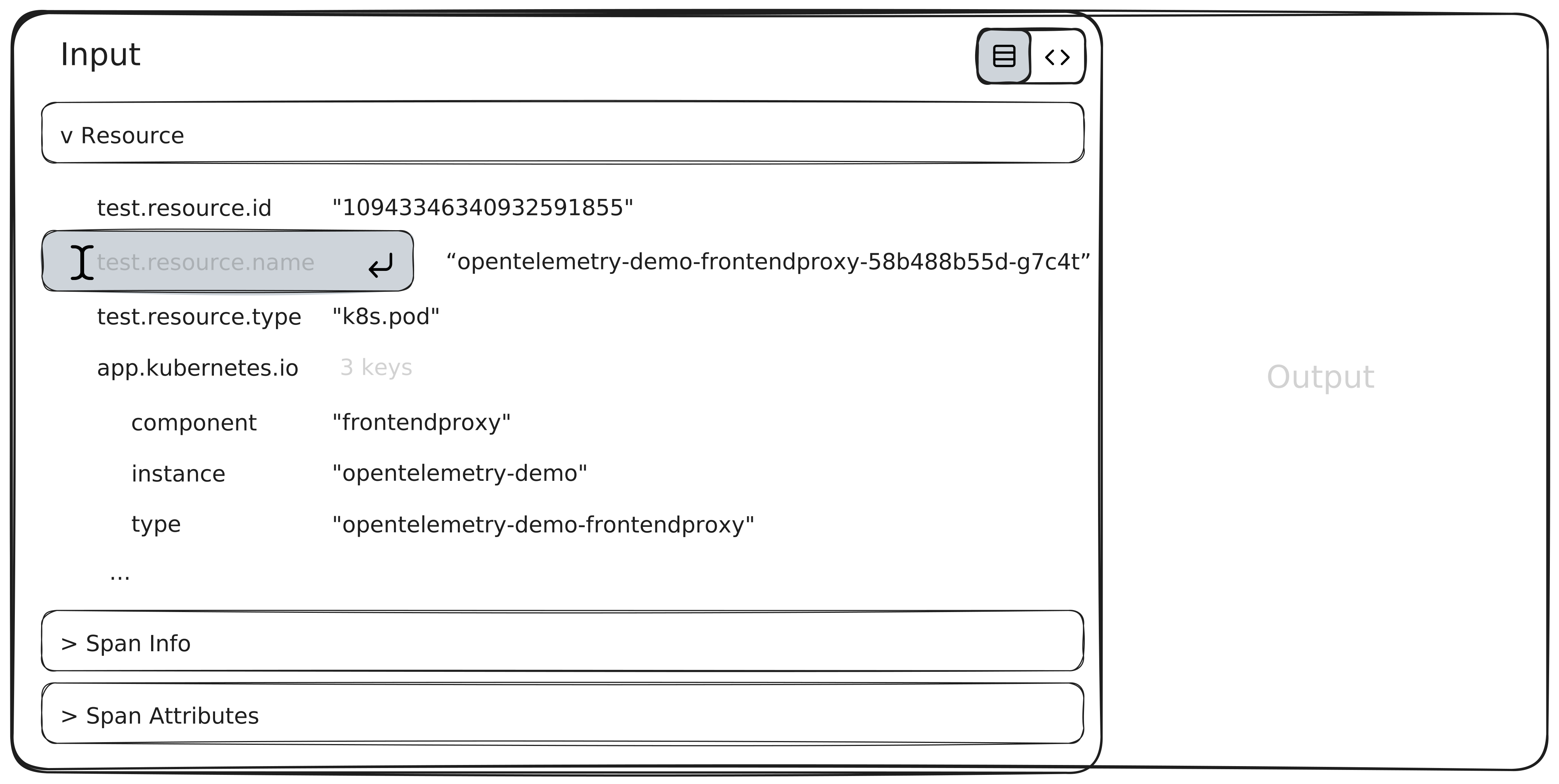
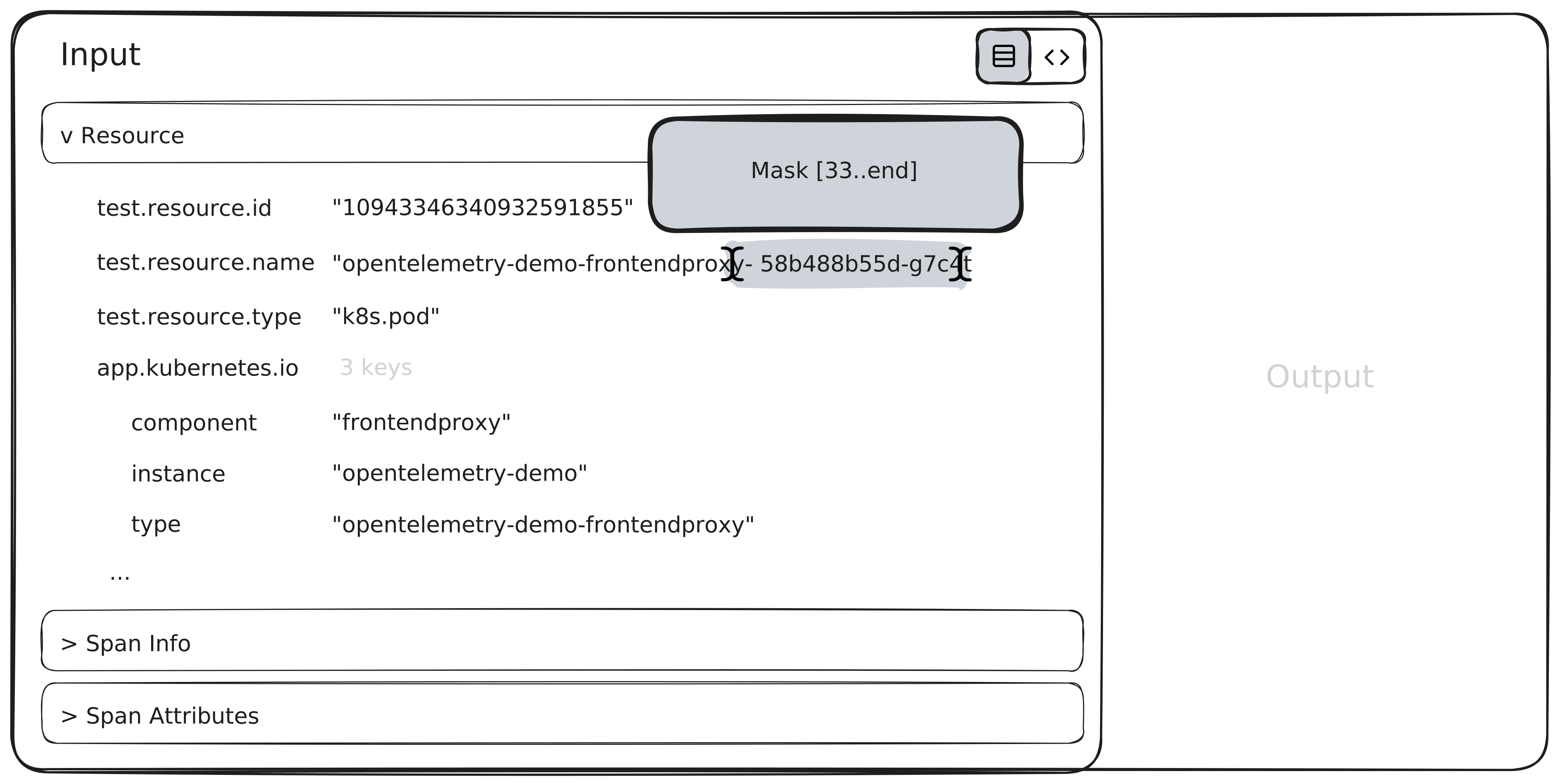
I kept everything inline. The user operates directly on the input data. No round trip.
Keyboard access runs throughout. These are developers. The mouse is the slower path.
4. Layout
Early on I considered hiding transformation queue entirely and showing only input and output. Cleaner. Less noise.
It didn't hold up. Users need to see what's queued, in what order. Reordering and raw OTTL input fit naturally in the queue.
Deliberate cuts
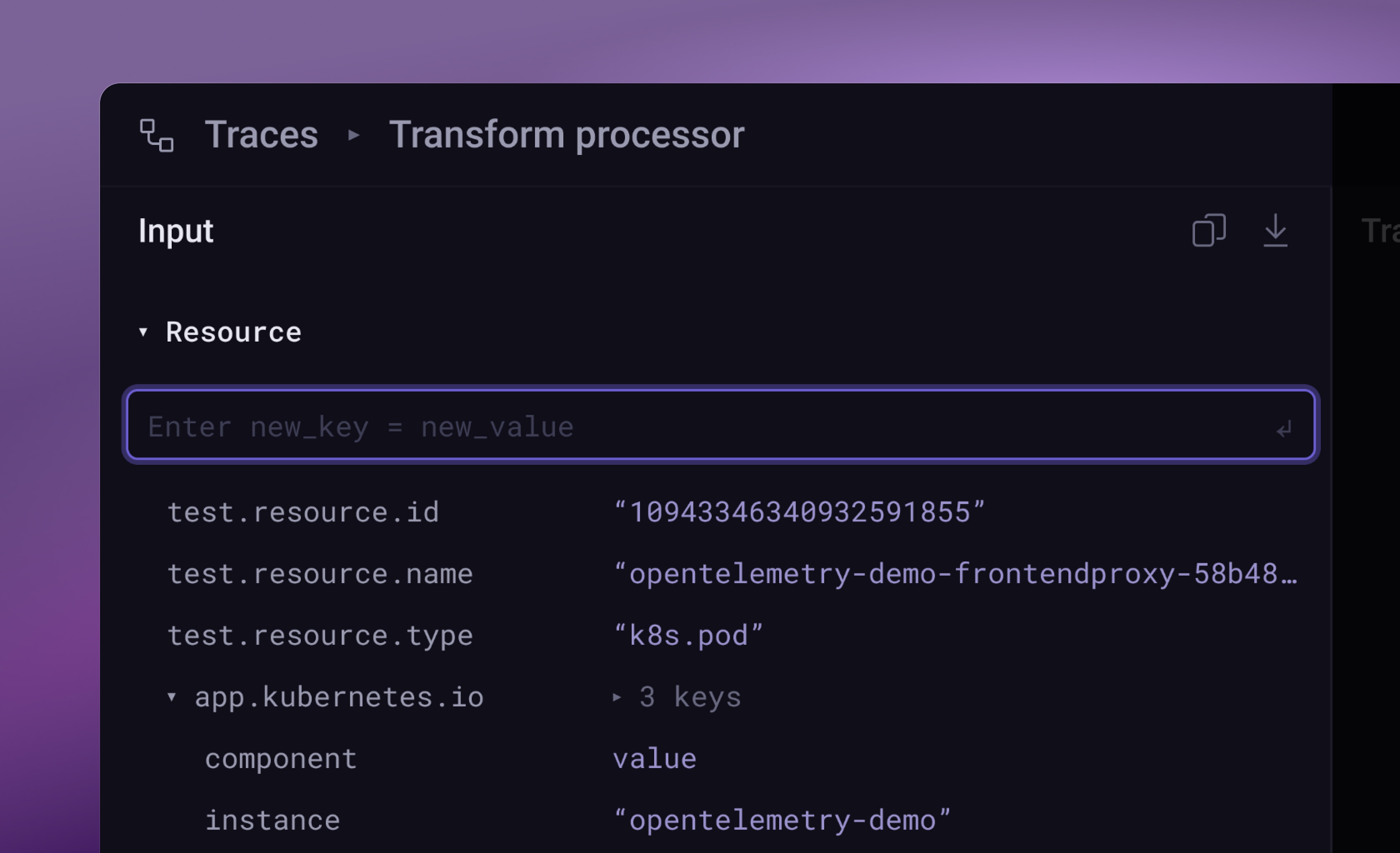
- OTTL transformationsQuick actions include only the most commonly used ones: adding attribute using static value or subsring from another attribute, mask, and remove. The rest lives in raw OTTL.
- Keyboard shortcutsPartly in, only to validate some interactions.
- ValidationDraft-level. Just enough to mark where guardrails will live, not fully designed.
- Smart suggestionsData normalization, common format detection, and similar assists. Noted as future scope, not prototyped.
PrototypeArc
v1. the wrong assumptions
I started with a vibe-coded prototype in Cursor to validate the mental model and interactions.
The first version hid transformations from the user. Drag-and-drop let users move any attribute, implying the transformation order changed. The tool handled the rest behind the scenes.
Both choices were mistakes. They reduced transparency, introduced ambiguity, and broke trust.
v2. make it legible
Users didn't trust what they couldn't see. v2 made the invisible visible.
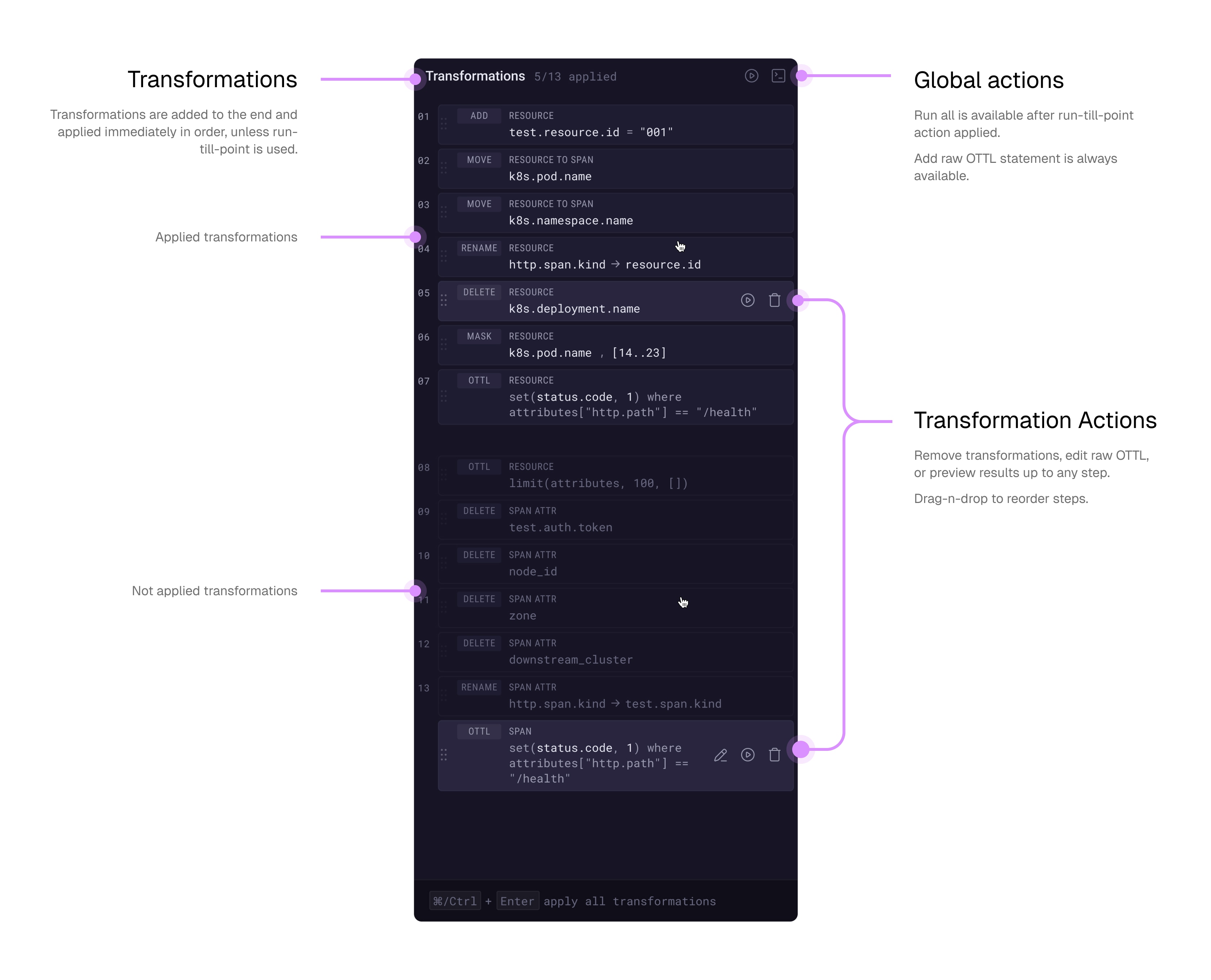
- Showed transformations in a dedicated Transformations panel
- Moved raw OTTL editing and reordering into that same panel
- Kept drag-n-drop only for moving attributes between sections
Better. But v2 exposed new cracks.
- Attribute drag-and-drop felt ambiguous → replaced with explicit Move to Resource / Span actions
- Text-editor-style diffs didn't match how developers actually read changes → switched to IDE-native diff patterns
- Transformations had misplaced visual weight → iterated on hierarchy and accents
ExecutionUp close
Main view
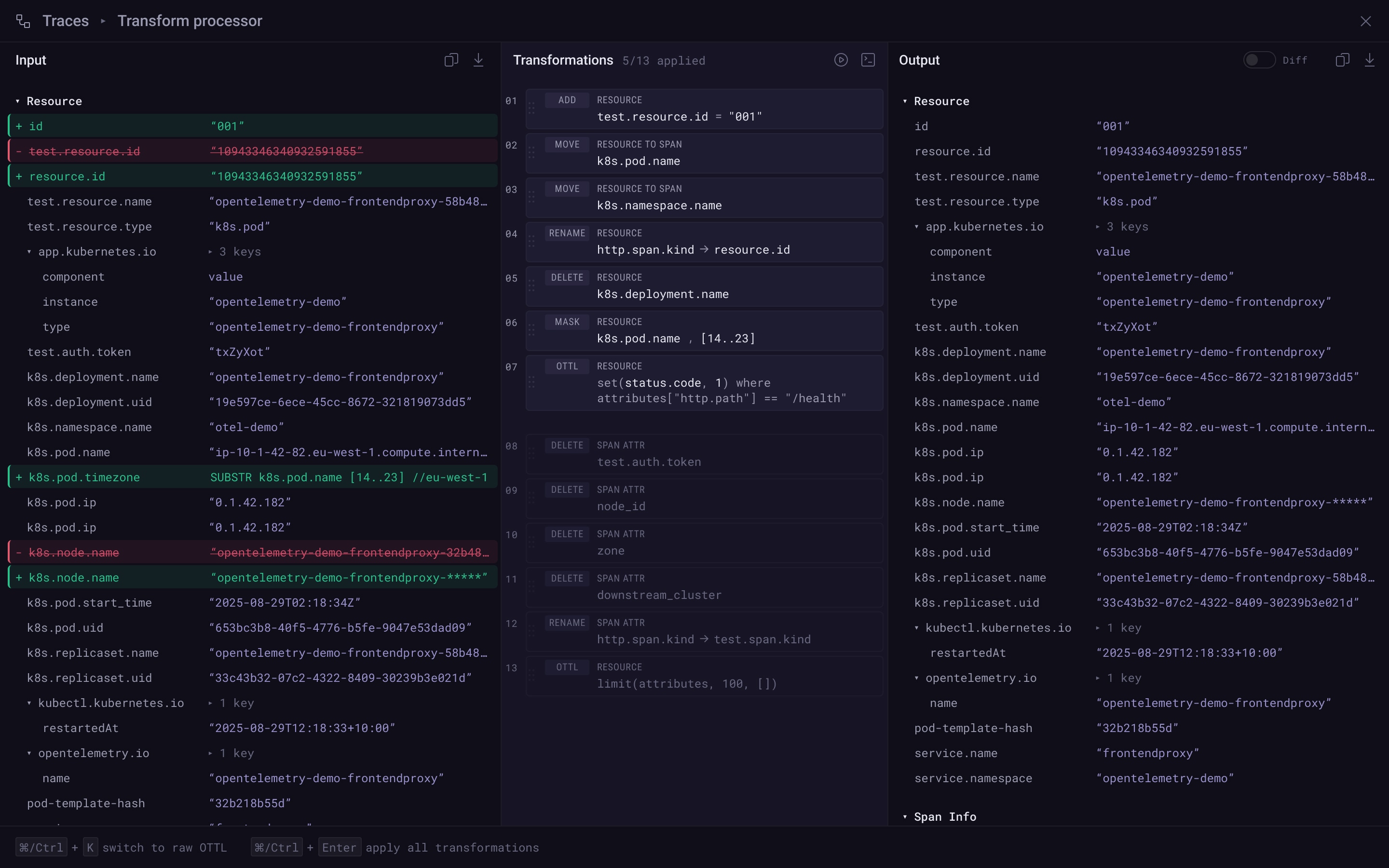
Input data and quick actions
Input data displayed as a structured table — attributes on the left, values on the right. Click any field to see what you can do to it: add, rename, delete, mask. No syntax to recall.
Transformations
Every transformation lands in the queue. Raw OTTL sits alongside quick actions. Run-till-point lets user review intermediate result.