Installer Experience.Reimagined
Aboutthe project
Context
EVBox was launching the Livo — a next-gen charger that needed a new installer app to ship with it. Hard deadline, no fallback.
The existing experience wasn't cutting it: confusing navigation, unreliable connectivity, no clear guidance. Instead of patching a broken foundation, we redesigned from scratch.
Challenge
Design end-to-end experience to let professional electricians install and configure next-gen EVBox chargers. Fast and friction-free.
My Design Footprint
- Sole designer on the project. Owned the end-to-end design process from research to shipped product
- Aligned hardware, firmware, mobile dev, regional, marketing, and tech writing teams
- Ran user research across 4 markets (NL, BE, FR, NO)
- Designed UX/UI, illustrations, animations, and configuration sticker
Ripples ofImpact
Outcome
- Achieved connectivity target96.5% of new-gen chargers connected to the backend
- 3x faster configurationInstallers reported reduced friction and time-on-site
- Improved installers' experiencePositive feedback highlighted easier and more intuitive setup and testing
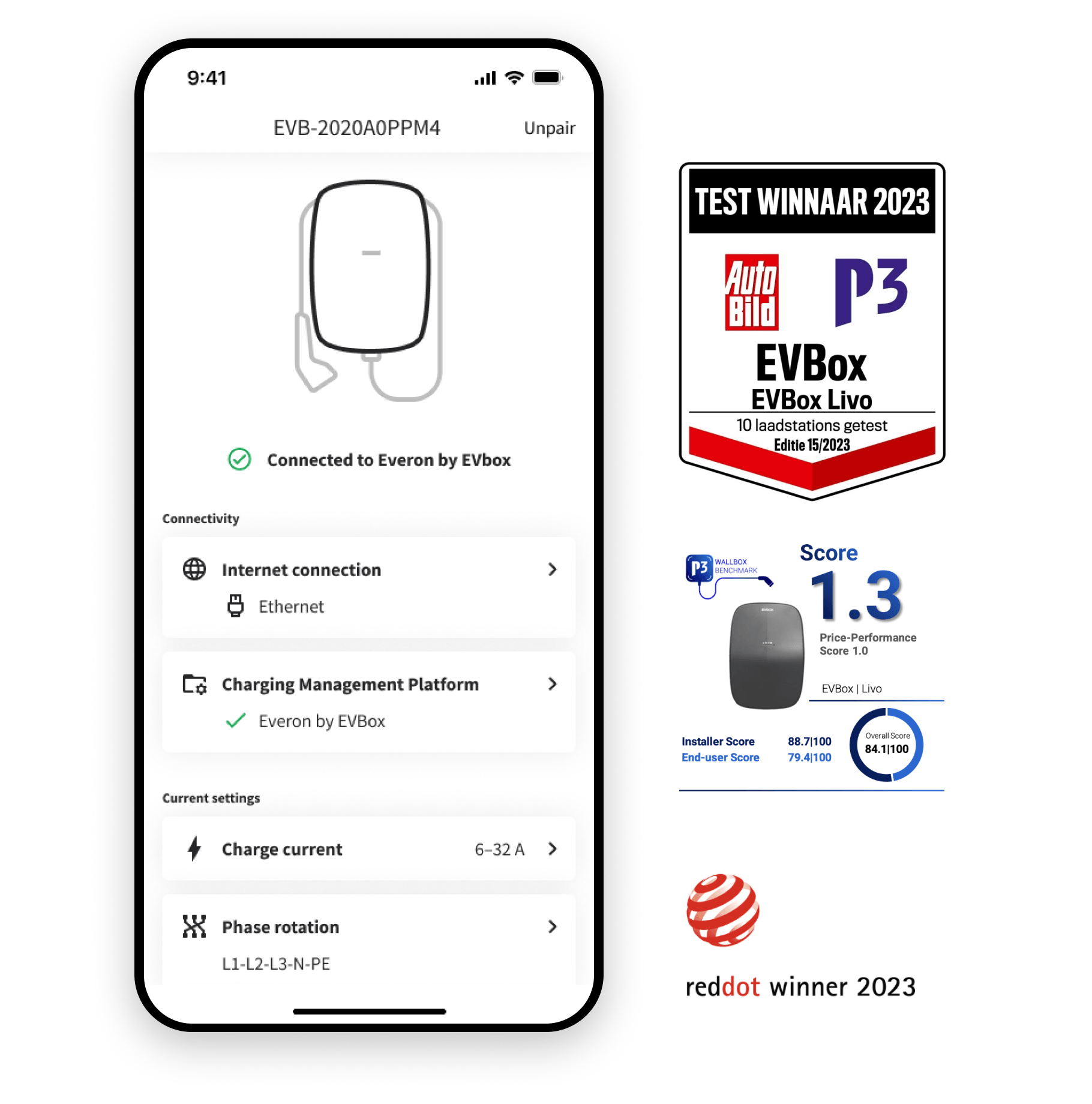
- Recognised by customersEVBox Livo charging station was rated best overall by customers in P3 Group's 2023 Wallbox Benchmark, standing out in every category—especially for its installer experience, which scored 88.7 / 100
- Recognised by industry expertsFrankfurter Allgemeine Zeitung has ranked EVBox Livo as the smartest charging station on the market
What we cut
The EVBox Livo launch set a hard deadline. Not everything made it into version 1:
- Connectivity statusThe app could only show internet connection, not whether the station reached the backend. Wi-Fi details were limited. Firmware wasn't ready, and the deadline didn't move.
- Remote rebootPlanned for the app, cut to physical hard reset only (power off the station).
- Legal friction stayedCertified-electrician confirmation was required before configuration and on settings. A legal requirement I had to design around, not remove.
Given more time, I would have polished Wi-Fi configuration. Tech constraints made this the roughest part of the experience.
// Grab a coffee, it's a long read.
Behind theLayers
Research
I start from digging into how installers actually work with EVBox stations and competitors:
- Interviewed installers across 4 markets (NL, BE, FR, NO) with regional teams.
- Interviewed tech support, the people talking to installers every day.
- Collected known issues and feedback on previous-gen stations from Product.
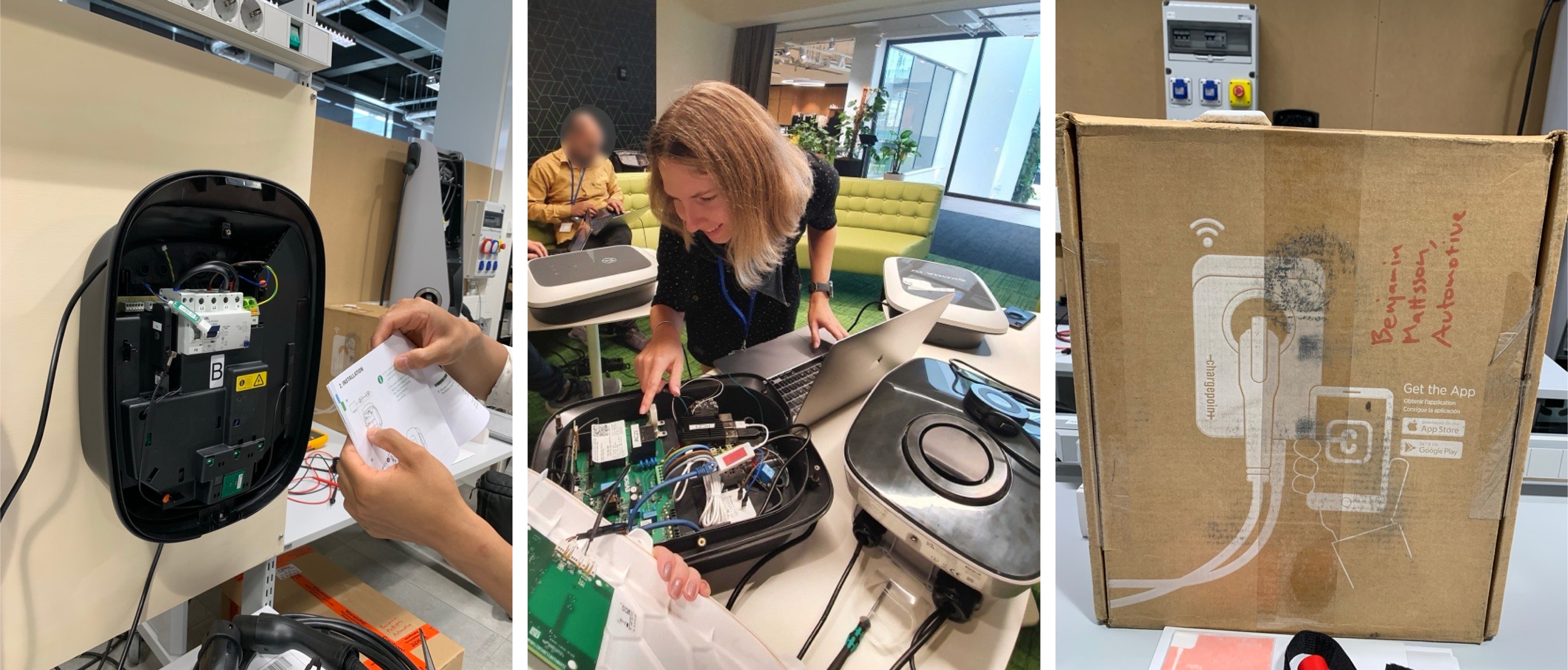
- Hands-on tested 4 competitor stations with the Hardware Design team.
Key pain points
What installers struggled with most:
- Pairing with the charging station requires manual input of ID, password, and security code (20-character strings)
- The connection with the charging station is not stable.
- No guidelines in the app on how to configure the station, what settings are required.
- No clear feedback in the app if the settings are applied or not.
- Confusing distribution of settings between installer and station owner modes.
- Safety-sensitive settings accessible to non-professional users.
- Not clear how to connect a station to the backend (Charging management system).
Strategic product decisions
Installer interviews shaped several product-level decisions I brought to the team:
- Split installer and owner experienceThe old app mixed both roles — installers were confused, and non-professionals had access to safety-sensitive settings. I pushed for a clean separation.
- Plug-and-charge by defaultInstallers hated setting up backend connectivity on-site. I advocated for instant charging to enable testing without backend dependency.
- Wi-Fi hotspot over BluetoothI advocated for Bluetooth. Fewer edge cases, more straightforward for users. But supply chain risks and spare part availability outweighed UX preference. I accepted the tradeoff and designed around the complexity.
CJM
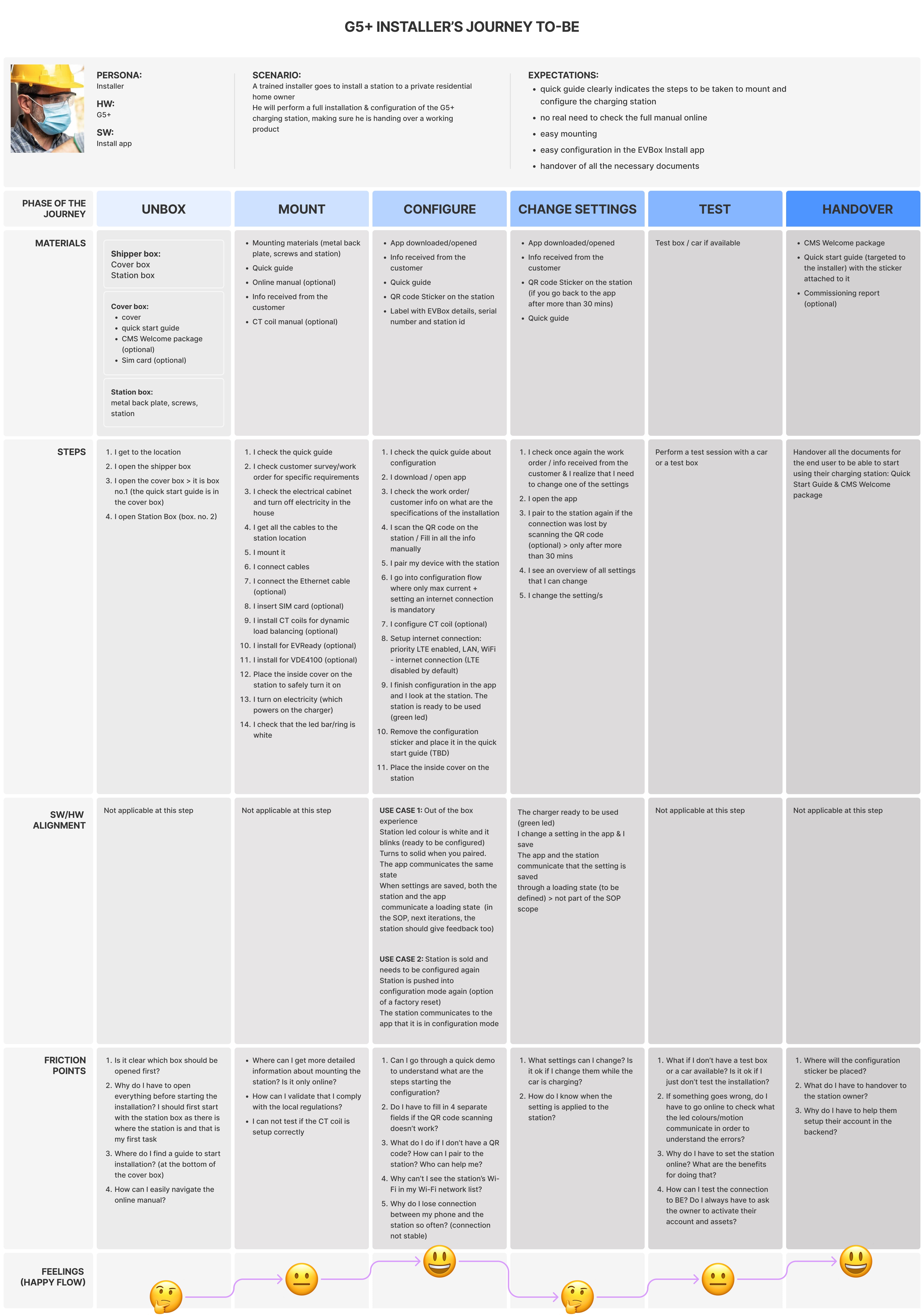
I mapped the to-be journey for the new-gen installer experience.
The NittyGritty
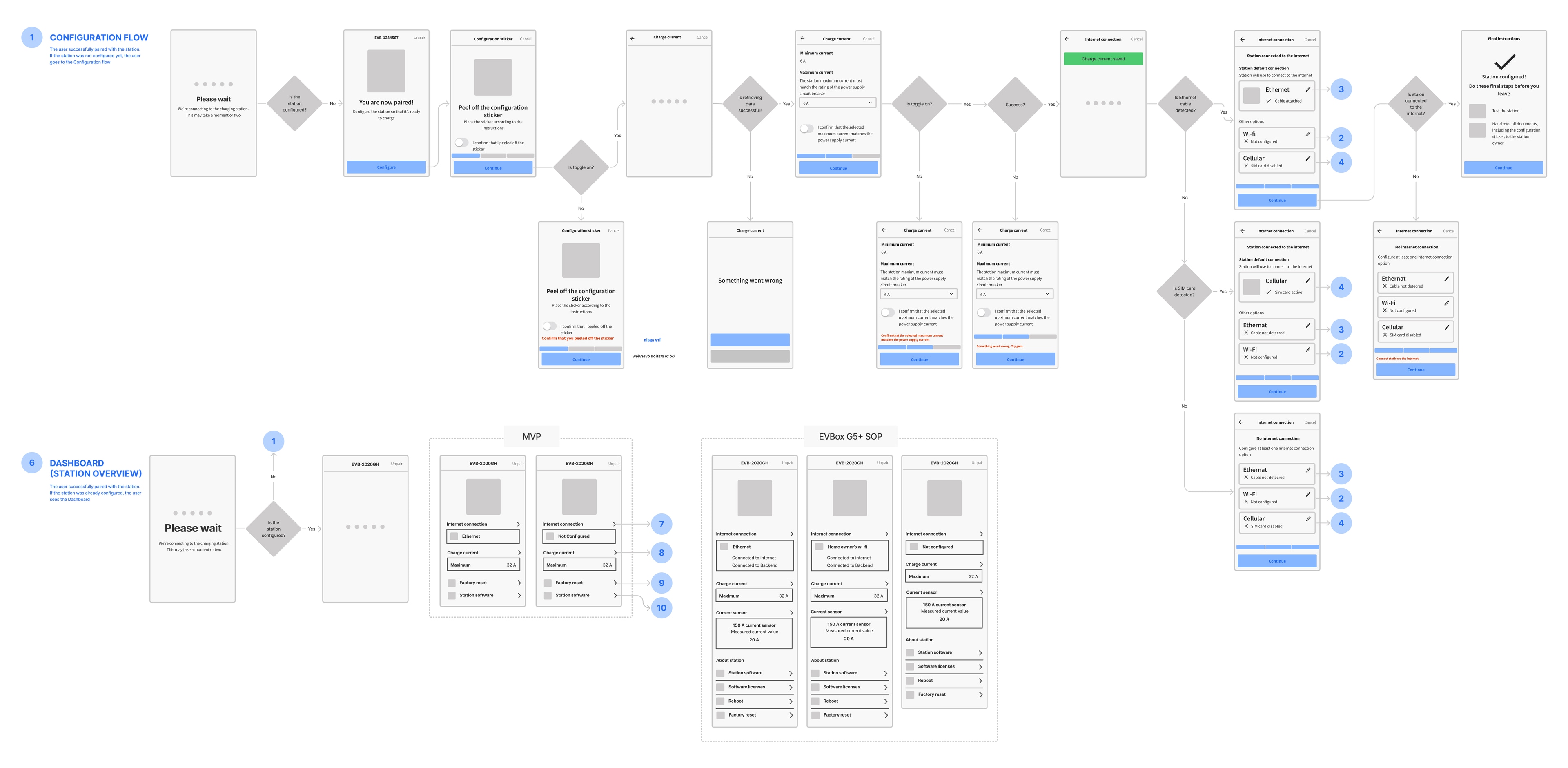

Wireframes and user flows
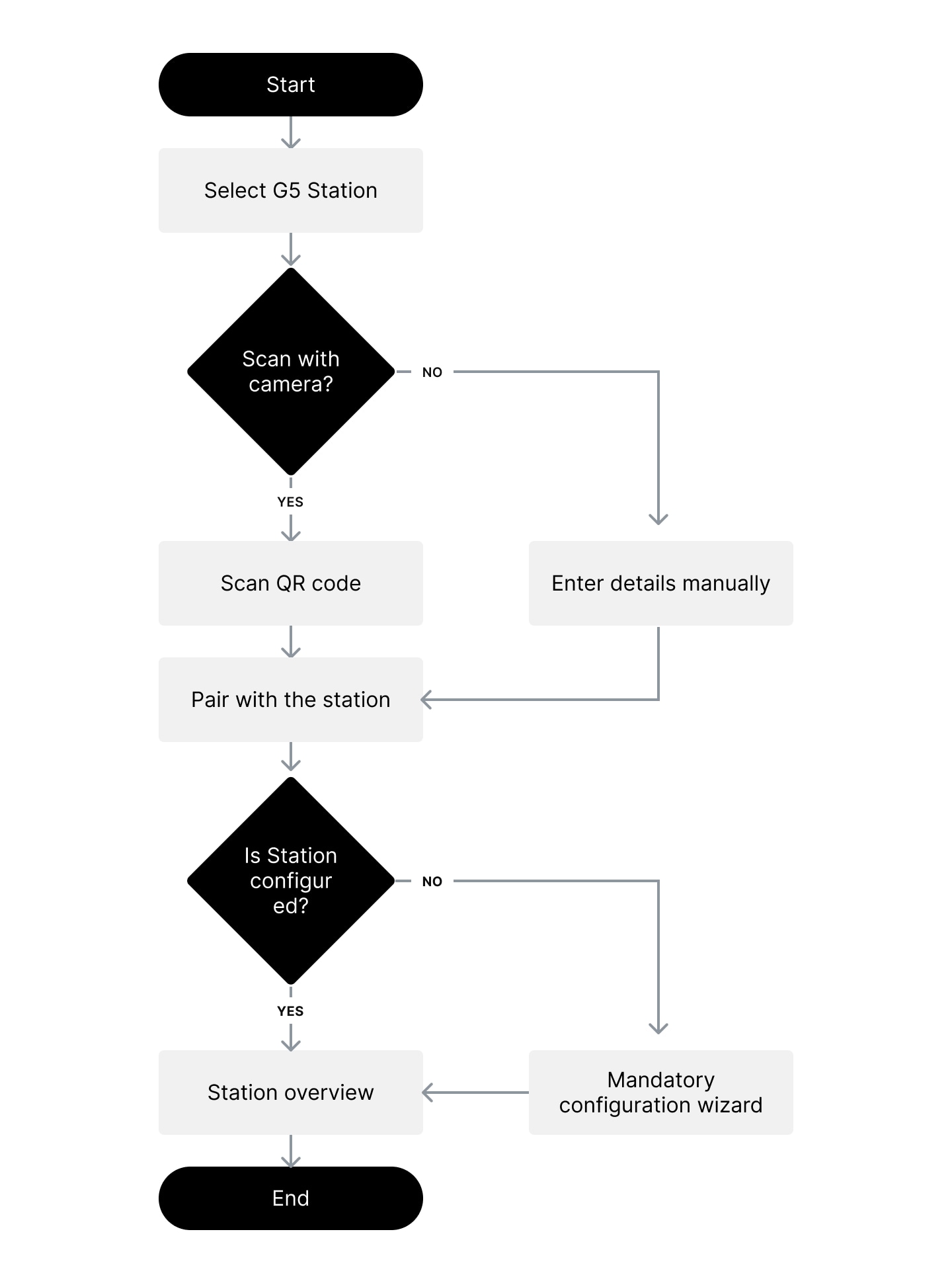
I kicked off the design phase with rapid user flows and wireframes as the fastest way to communicate ideas and align with Product and Development teams, surfacing technical constraints, errors, and edge cases early.
Pairing with the charger
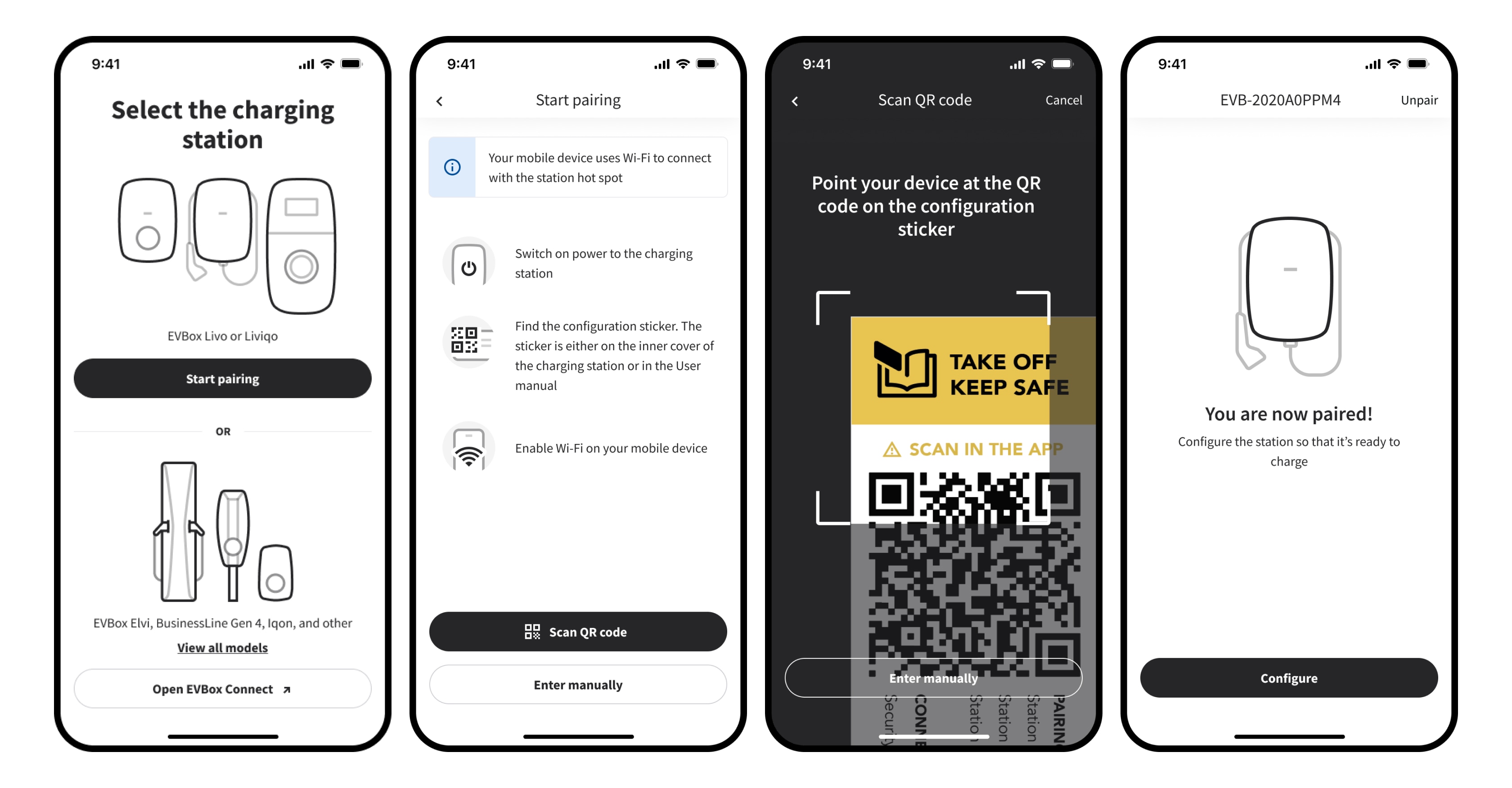
The most critical flow in the app. Installers connect to the station's Wi-Fi hotspot and authenticate with a security code. For security reasons the network is visible only in the app.
We encoded all credentials into a QR code on the configuration sticker. One scan: auto-connect, auto-authenticate. Done.

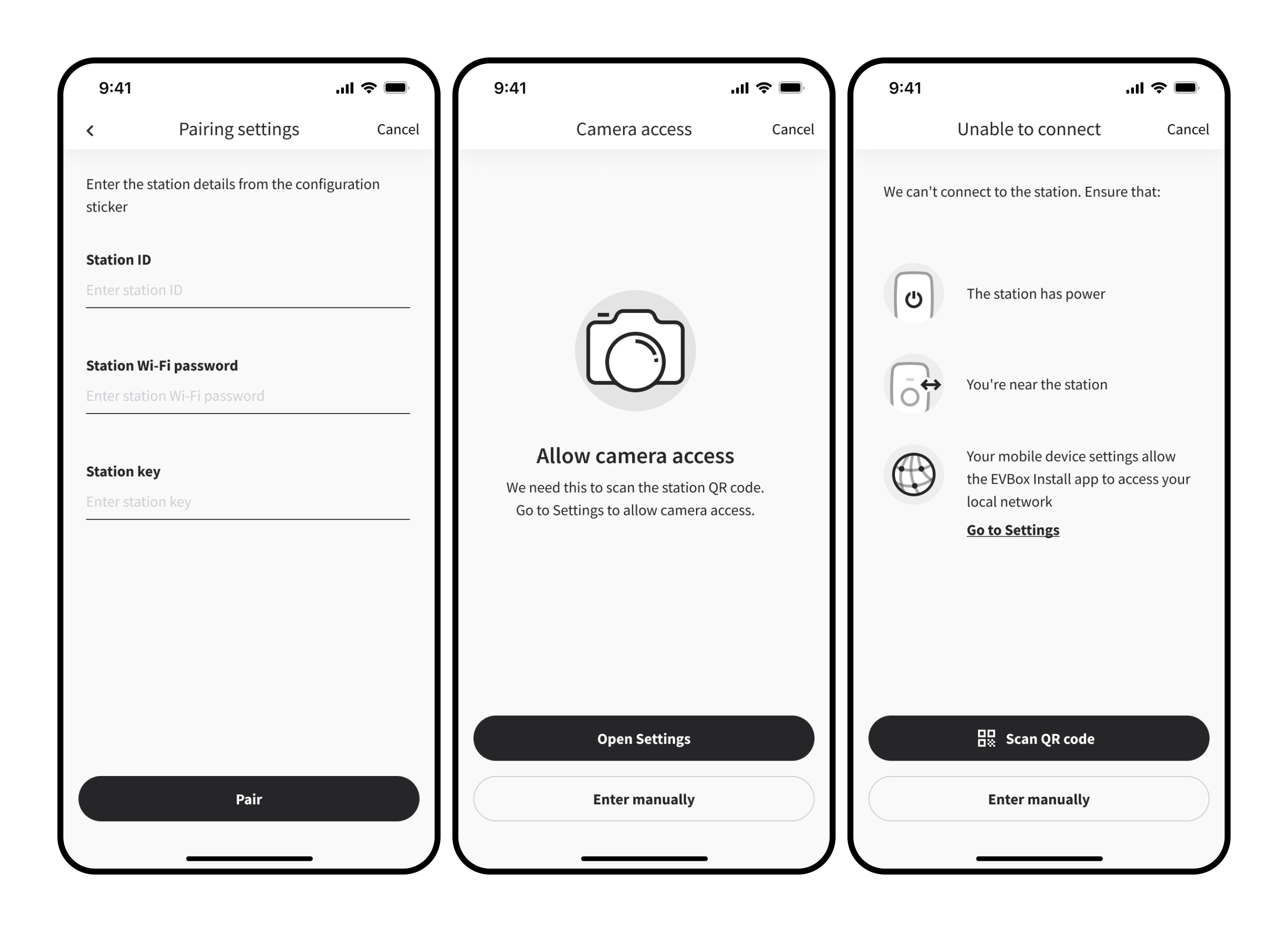
The happy path is quick. The edge cases aren't. 20-character security code, cross-platform Wi-Fi restrictions, denied camera access, failed authentication. Each one is a rabbit hole.
I cut manual input by using the station ID as the hotspot name and splitting long strings into 4-character chunks. For the rest, I mapped every error path with the dev team and designed recovery flows for both iOS and Android.
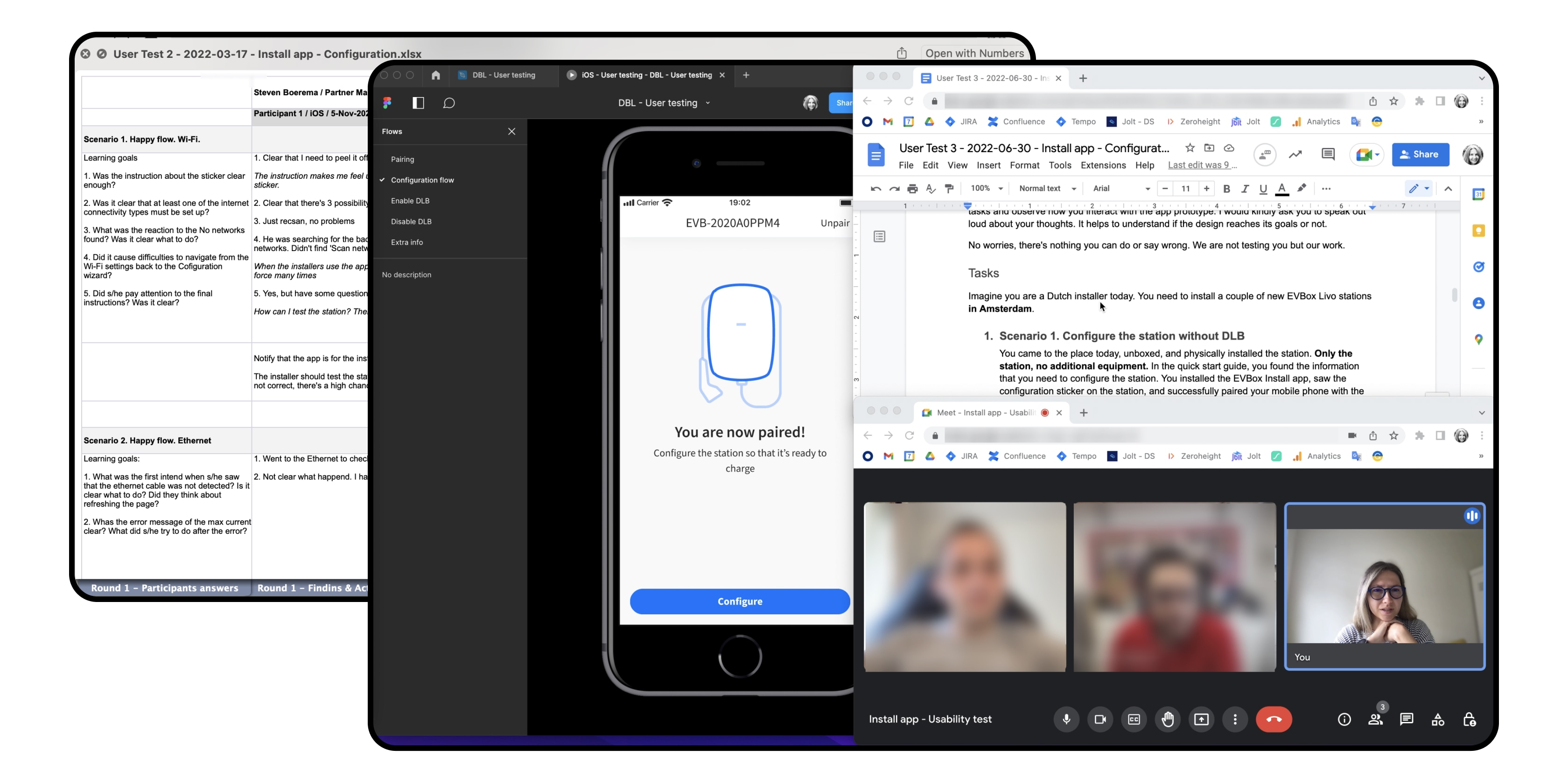
Usability tests with installers in the Netherlands and Germany refined sticker placement, in-app instructions, and the full interaction flow.
Configuration flow
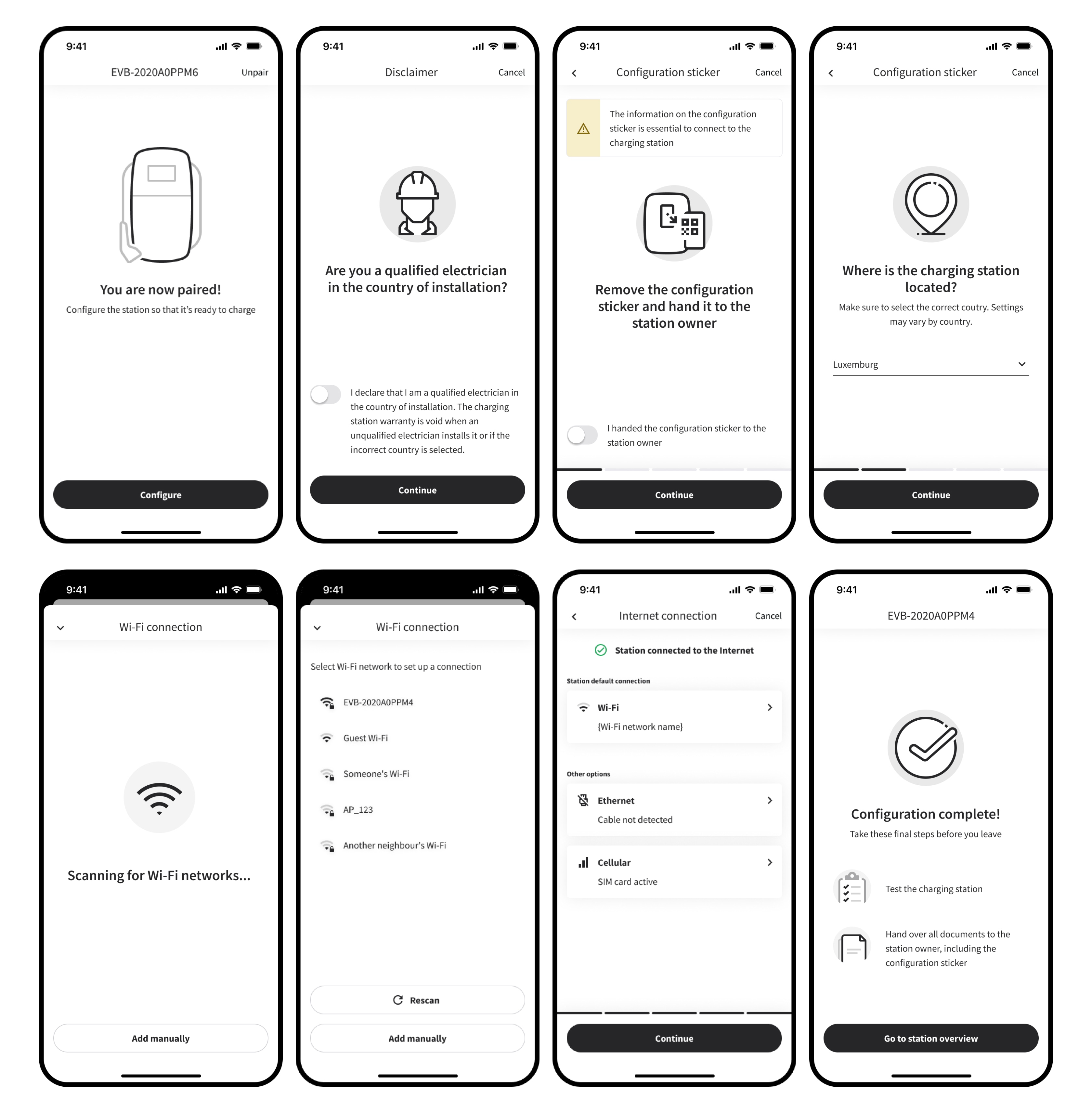
The Configuration Wizard tackles the biggest pain points in initial station setup.
Usability testing surfaced four issues:
- Lost in connectivity sub-flowsClose button was there. Nobody saw it. Everyone looked for a CTA at the bottom.
Solution: Added a "Done" button where installers actually look — bottom of the screen.
- Unclear sticker placementParticipants didn't know where to put the configuration sticker.
Solution: Rewrote instructions with the tech writing team.
- No feedback after applying a settingMoving to the next step wasn't enough — users couldn't tell if a setting took effect.
Solution: Added a green confirmation banner after each applied setting.
- No clear endpointUsers didn't know what to do next after the configuration in the app was done.
Solution: Combined final instructions with a completion confirmation screen.
Next round of testing: all issues resolved. Users rated it 5/5.
Visual design
Four constraints shaped the visual design:
- Neutral brandingThe app works with EVBox and other brands — no EVBox logo, colors, or patterns allowed.
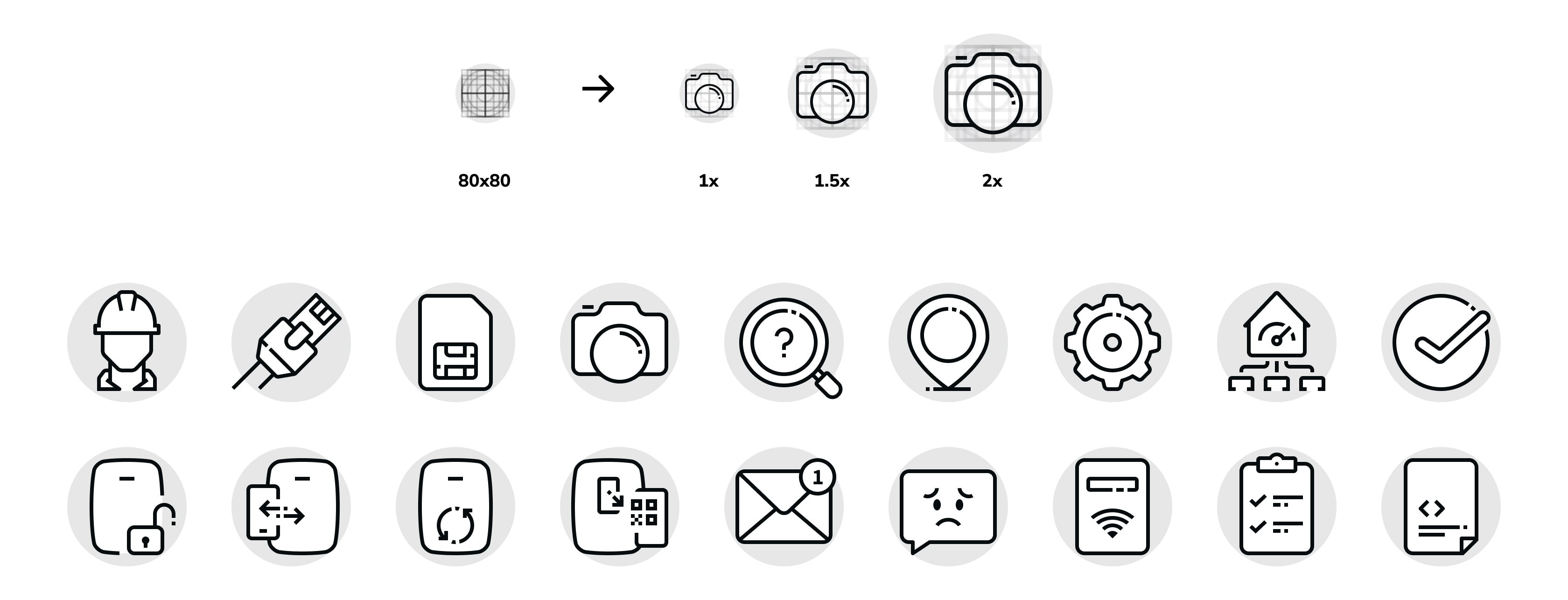
- Product illustrations instead of photosBranded renders were off-limits. I created custom illustrations within the design system.
- Light color modeDark on light reads better everywhere installers work from underground parking to bright sunlight.
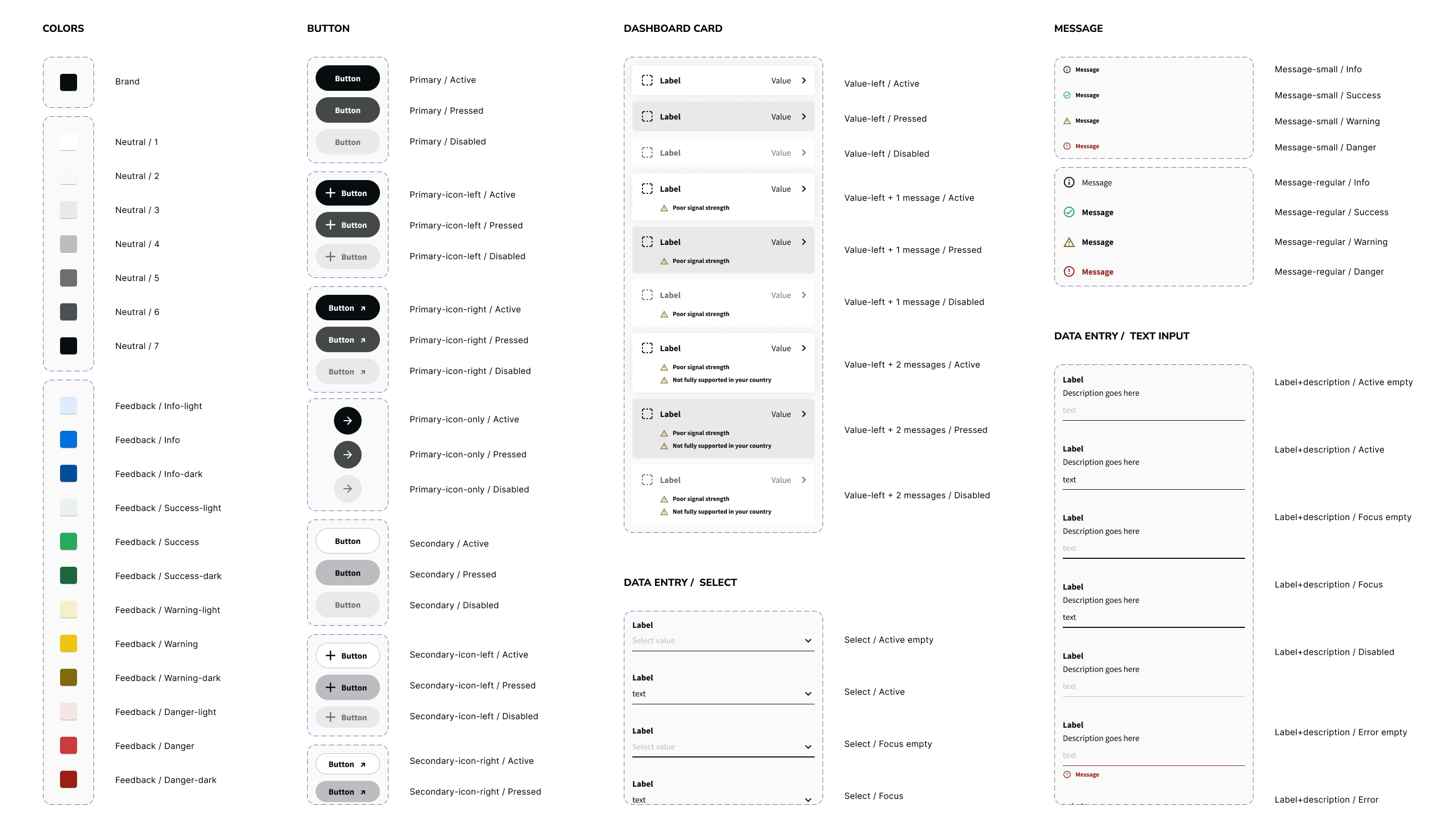
- Design system complianceBuilt with existing design system components, patterns, and icons for cross-product consistency.
// Complete happy path from pairing to configuration.